
Amal key technician and promoter is very professional . His troubleshooting is professional. We can trust him and services are highly recommended
Keys dead · auto typing · backlight off · trackpad not clicking
Laptop keyboard repair and replacement
A keyboard with a few dead keys or one that types on its own is almost always replaced as a unit; individual keys can rarely be fixed. Liquid under the keys and a keyboard built into the palmrest change the job. We check which you have.
10am–8pm, Mon–Sat · Whitefield Main Road, opposite Dress Circle Mall · free pickup nearby
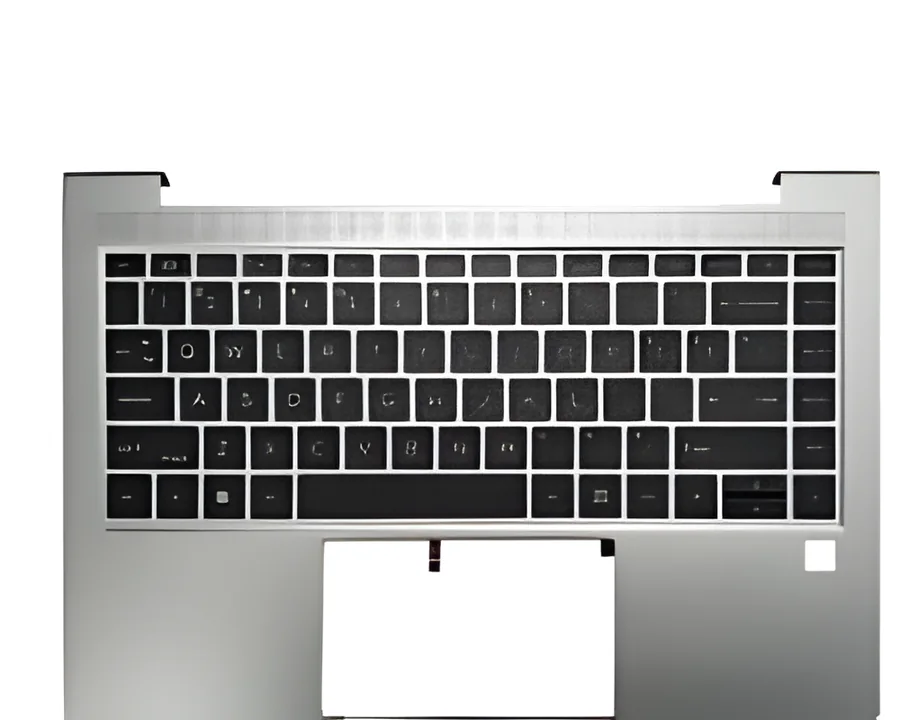
- Key matrix
- Backlight
- Trackpad
- Ribbon cables
Quick answer
Dead keys, "auto typing", or a whole row not responding mean the keyboard matrix has failed and the keyboard is replaced. A single loose keycap can often be re-clipped. If keys stopped working after a spill, the liquid may have reached the board too, so we check that first. Trackpad clicks and gestures are a separate part and a separate repair.
Symptoms this covers
- One key, a row, or the whole keyboard not responding
- Keys typing on their own ("auto typing") or repeating
- Backlight stopped working
- Sticky or stiff keys after a spill
- Trackpad not clicking, cursor jumping, or gestures dead
- A keycap or hinge clip broken off
Likely causes, in plain words
- CommonWorn or damaged key matrix
- The membrane under the keys wears or tears. The keyboard is replaced as a unit.
- CommonLiquid under the keys
- Sugary drinks leave residue that shorts keys days later. If the liquid went further, the board needs checking. After a spill
- SometimesRibbon cable or connector
- A loose or damaged cable makes a whole keyboard or trackpad go dead at once. Cheap to fix.
- SometimesSoftware or driver
- A stuck key setting, filter keys, or a driver fault can look like hardware. We rule it out with a live boot. Keys not working: checks
- SometimesTrackpad module or its controller
- A trackpad that will not click may be a swollen battery pushing it up from below. We check that first.
How we diagnose it
- We test the keyboard from a live boot so software is ruled out.
- We open the palmrest, check for liquid residue and inspect the ribbon connectors.
- We identify the keyboard type: standalone unit, backlit, or integrated palmrest, and the layout.
- One written price for the part and the fitting.
Repair options
Keyboard unit replacement
Most HP, Dell, Lenovo, Acer and ASUS keyboards are a separate part clipped or screwed into the palmrest.
Palmrest (top case) replacement
On many newer thin models the keyboard is riveted into the palmrest and the whole top case is replaced. Costlier, and we say so before you decide.
Trackpad repair or replacement
Cable re-seat, module replacement, or removing a swollen battery that was lifting the pad.
Keycap and clip repair
For a single broken keycap we fit a matching cap and hinge clip when available.
What it costs
What decides the price
- Standalone keyboard vs keyboard integrated into the palmrest
- Backlit or not
- Layout availability for your model
- Liquid residue on the board needing cleaning too
- Trackpad as a separate part
- Gaming keyboards with per-key RGB
We quote after a free diagnosis of your specific model, in writing, before any work starts. There is no charge if you decide not to go ahead.
Repair, or replace the laptop?
Repair makes sense when
- The laptop is otherwise fine; a keyboard is one of the cheaper repairs
- You touch-type and an external keyboard is not a life
Replacement makes sense when
- The spill also damaged the board and the machine is old
- The integrated palmrest is unavailable for a discontinued model
Undecided? Use the repair-or-replace helper. It asks five questions and gives you a one-sentence read, not a score.
Process
How a repair works here
- 01
Diagnose
Free at the Whitefield bench. Nearby, we collect the laptop from you.
- 02
Quote
One written price for parts and labour, with what we found and why.
- 03
Approve
Nothing is opened further or ordered until you say yes.
- 04
Repair
Component-level where possible; a replacement part only when it is the honest answer.
- 05
Test
Run and checked before it leaves the bench: power, display, thermals, ports, keyboard.
- 06
Return
Collect at the workshop, or we drop it back within our pickup areas.
Real Google reviews
What customers say about this repair
Very good service center for any of computer related issues, They resolved my keyboard issue by replacing IO chip at decent cost. Thank you Amal Raj.
Skylap is an excellent shop to repair or upgrade your old laptop at a reasonable cost and quick service. I just upgraded 2 of my old and very slow laptops - installed new SSD, increased RAM and replaced key pad - all of this at a very …
Questions people ask
Before you decide
My keyboard is typing on its own. Repair or replace?
Replace the keyboard unit. Auto-typing means the matrix has shorted, usually from wear or a past spill, and it cannot be cleaned back to reliable.
The backlight stopped working but the keys are fine.
Usually the backlight sheet or its small cable, sometimes the setting. If the keys work, we check the cable and setting before recommending a new keyboard.
Can you replace just one key?
A broken keycap with its clip, yes, when a matching cap is available. A key that stopped registering is a matrix fault and needs the keyboard replaced.
I spilled coffee and now some keys are dead. Will a new keyboard fix it?
Probably, but we check the board first. Sugary liquid travels; replacing the keyboard on a board that is corroding underneath wastes the repair.
Not sure which one you have?
Describe it in a sentence or send a photo. We tell you what it is before you spend anything.
Send a photo on WhatsAppKeep reading
Related
Next step
Tell us what happened. We tell you what it is and what it costs.
Free diagnosis at the Whitefield workshop, or free pickup nearby.