
Good service support. I did try repair of 2007 model HPDV2520ee display issue. It was satisfactory and working fine now. Did help me out with a OS upgrade as well. Also got my acer 5332 power issue. Few components in the mother board was replaced and working fine now.
No power · no display · dead after spill · charging IC · short circuit
Chip-level motherboard repair
Authorised centres replace boards. We repair them: power-supply section, DC-to-DC circuits, charging and power ICs, shorts, liquid damage. It is the reason customers arrive after another centre said "replace" and leave with the same board working.
10am–8pm, Mon–Sat · Whitefield Main Road, opposite Dress Circle Mall · free pickup nearby
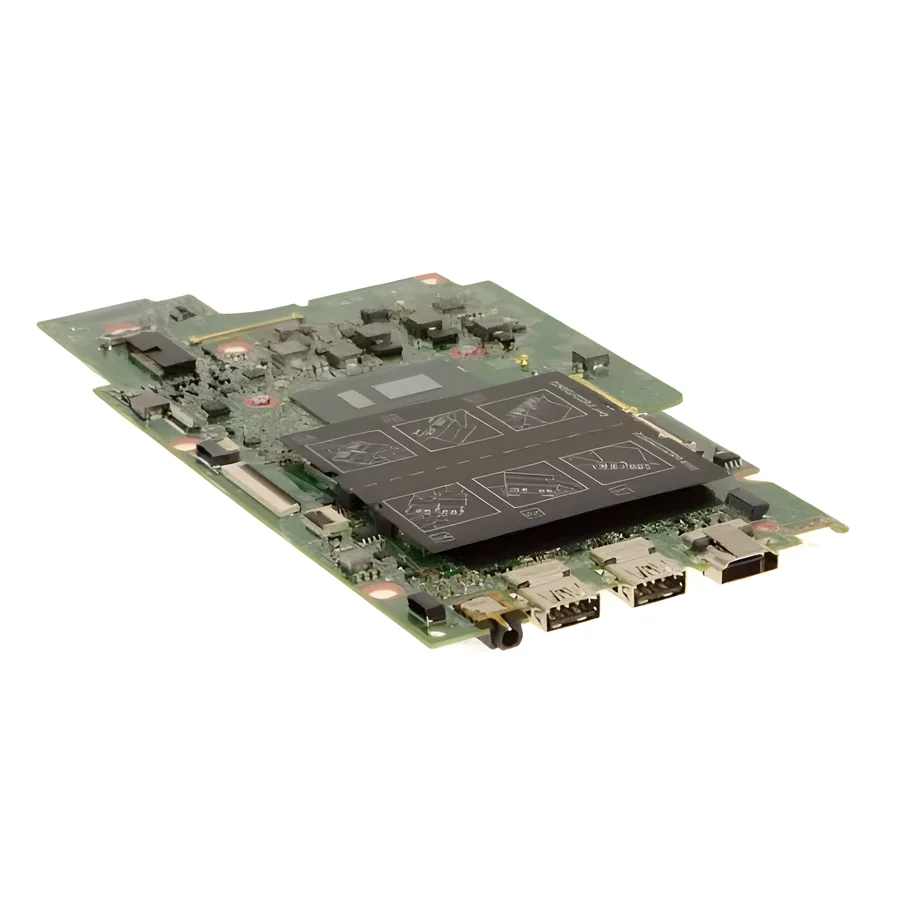
- Power section
- Charging IC
- PCH
- GPU
- BIOS
Quick answer
Most "dead" laptops are not dead. A failed charging IC, a shorted capacitor or a burnt power stage stops the board from starting, and each is a component we can test and replace with the board on the bench. Board replacement is the last option, not the first, and we say plainly when a board is beyond economic repair.
Symptoms this covers
- "Not powering on": no lights, no fan, nothing when you press the button
- Powers on but no display; caps lock or power light blinking
- Works only on the charger, or the charger light goes off when plugged in
- Dead after a liquid spill, a lightning surge, or a wrong charger
- Random shutdowns or restarts that are not heat related
- Burning smell, or a hot spot on the base with the laptop off
Likely causes, in plain words
- CommonCharging IC or power IC failure
- The chips that take power from the charger and make the board's voltages fail with surges and wear. The board is otherwise fine. Not charging explained
- CommonShort circuit in the power section
- A shorted capacitor or MOSFET stops the board from starting. Found with the board powered on the bench, fixed by replacing the component. Laptop not turning on
- SometimesLiquid damage and corrosion
- Water, tea, coffee. Corrosion spreads for days; the sooner the board is cleaned the better the odds. What to do after a spill
- SometimesBIOS corruption
- A failed update or a power cut mid-flash. Reprogramming the BIOS chip brings the board back.
- RareGPU, PCH or CPU (BGA) fault
- The large chips can fail or lose contact. Reballing or replacing them is possible but depends on the chip and donor availability; we quote honestly. GPU faults
How we diagnose it
- We check the charger and battery first so a board is never opened for a charger fault.
- We measure the board's power rails in sequence: input, 3 V/5 V standby, then the main rails. The first missing rail tells us where to look.
- We inspect under magnification for burnt, corroded or shorted components.
- We give you a written finding and price, and the probability of success where a fault is marginal (surge and liquid cases can be).
Repair options
Component-level repair
Replace the failed IC, MOSFET, capacitor, fuse or connector. The board you own keeps working, with your data untouched.
Liquid-damage cleaning and repair
Full disassembly, ultrasonic cleaning of the board, then repair of the corroded parts. Success depends on how far corrosion has spread.
BIOS reprogramming
Read, rebuild and flash the BIOS chip, or replace it, keeping the serial and licence information.
Board replacement, when it is the honest answer
If the CPU or GPU itself is dead or the board is too corroded, we say so and quote a replacement board only if it makes sense against the laptop's value.
What it costs
Nobody in Bengaluru publishes a fixed chip-level price, and for a good reason: the price is the fault, not the model. We diagnose first, for free, then tell you exactly what failed and what fixing it costs.
What decides the price
- Which component failed: charging IC vs power section vs short vs BIOS vs GPU/PCH
- One fault or several (a surge often takes more than one part)
- Liquid damage: how far corrosion has spread
- Whether BGA rework is needed and a donor chip is available
- Gaming or high-power boards with more complex power stages
- Whether your data must be preserved on soldered storage
We quote after a free diagnosis of your specific model, in writing, before any work starts. There is no charge if you decide not to go ahead.
Repair, or replace the laptop?
Repair makes sense when
- The board fault is a single component and the rest of the machine is good
- Your data is on the machine and matters
- The laptop is a gaming or business model that would cost far more to replace
Replacement makes sense when
- The CPU or GPU itself is dead and the board has no donor
- Corrosion has spread across the board after weeks of use post-spill
- The laptop is old, slow and would need a battery and screen too
Undecided? Use the repair-or-replace helper. It asks five questions and gives you a one-sentence read, not a score.
Process
How a repair works here
- 01
Diagnose
Free at the Whitefield bench. Nearby, we collect the laptop from you.
- 02
Quote
One written price for parts and labour, with what we found and why.
- 03
Approve
Nothing is opened further or ordered until you say yes.
- 04
Repair
Component-level where possible; a replacement part only when it is the honest answer.
- 05
Test
Run and checked before it leaves the bench: power, display, thermals, ports, keyboard.
- 06
Return
Collect at the workshop, or we drop it back within our pickup areas.
Real Google reviews
What customers say about this repair
Had an very great experience with Skylaptop. I took my very old acer laptop for repair. But it was having a motherboard issue, so Mr Santosh suggested as it is very old laptop, not worth to invest. Even he help me to take the backup from my …
A water spillage on my laptop burst my Asus laptop motherboard, Mr. Amal found the part, replaced within a week and shared me a spare one meanwhile. Very professional and neat job. Fair price, as well.
Questions people ask
Before you decide
Another service centre said the board cannot be repaired and must be replaced. Can you check it?
Yes, and this is the most common way customers find us. Authorised centres do not do component-level work; "replace the board" is their only tool. We test the board on the bench and tell you what actually failed. Sometimes it really is beyond repair; then we say so.
My laptop is not powering on at all. Is it the battery, charger or motherboard?
Any of the three, which is why we test in that order. No lights at all usually means the input stage or a short; lights but no start points further into the board. The check is free.
Will my data survive a motherboard repair?
If your storage is a separate drive, yes; it is not touched. If storage is soldered to the board (some thin laptops), the repair keeps the same board so data stays, but tell us up front that the data matters and we plan around it.
Is it worth repairing a motherboard on an old laptop?
It depends on the fault and what the rest of the machine is like. A single charging-IC repair on a five-year-old laptop that is otherwise fine is usually worth it; a corroded board on a slow machine with a dead battery usually is not. We tell you which case you are in.
Do you charge if the board cannot be repaired?
Diagnosis is free. What happens when a repair is attempted and fails is a policy we state before starting, in writing, so there is no surprise.
Not sure which one you have?
Describe it in a sentence or send a photo. We tell you what it is before you spend anything.
Send a photo on WhatsAppKeep reading
Related
Next step
Dead laptop? Bring it in before deciding to replace it.
Free diagnosis at the Whitefield workshop, or free pickup nearby.